LoopGantt can create a project from a file: its own JSON export, a CSV spreadsheet (from Excel, Google Sheets or most PM tools), or the export files of Asana, Trello and Microsoft Project. The Import Project dialog recognizes which kind of file you dropped and converts it for you.
How to import
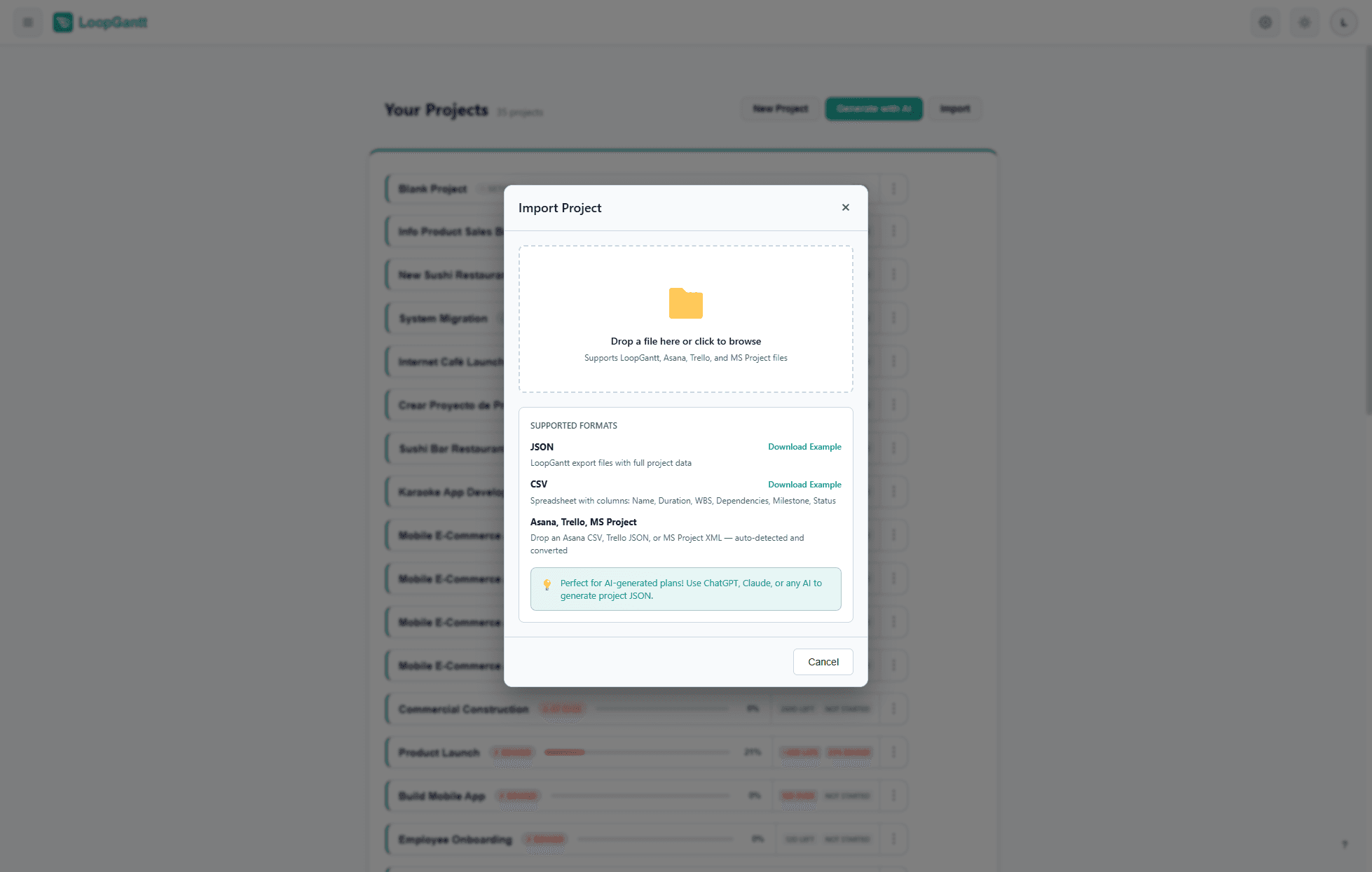
- On your dashboard, click Import.
- Drop a
.json,.csvor.xmlfile (up to 15 MB) into the Import Project dialog, or click to browse. - Check the preview: the detected format (for Asana, Trello and MS Project files), the project name, the number of tasks and dependencies, and the first tasks of the plan. Notes under the preview list anything that was skipped or approximated.
- Click Import Project to create the project.
Supported files
| File | Recognized by | Details |
|---|---|---|
LoopGantt JSON (.json) | Its version, project and tasks fields | See "JSON format" below |
CSV (.csv) | A Name or Task column | See "CSV format" below |
| Asana CSV export | Asana's own column headers | Import from Asana |
Trello board export (.json) | Its lists and cards | Import from Trello |
Microsoft Project XML (.xml) | A project with tasks, as saved by File → Save As → XML | Import from Microsoft Project |
CSV format
Download the example CSV to see the format. LoopGantt matches columns by their header, in any order and in upper or lower case. Only the name column is required.
| Column (other accepted headers) | Required | Description |
|---|---|---|
| Name (Task, Task Name) | Yes | Task or phase name |
| Duration (Days) (Duration, Days) | No | Working days. Use 0 for milestones and phases. Without a duration, a task is one day long. |
| Start, End (Start Date, End Date, Finish, Due, Deadline) | No | A task starts on its Start date. When a row has no duration, the working days from Start to End, both included, become the duration. With only an End date, the task ends on that date. |
| WBS (ID, #) | No | Outline number such as 1.2. A row with children (1 above 1.1) becomes a phase that contains them. |
| Phase | No | Yes to make this row a phase |
| Milestone | No | Yes to mark as a milestone (duration must be 0) |
| Dependencies (Predecessors, Depends On) | No | Predecessors, separated by commas or semicolons. See below. |
| Status | No | not_started · in_progress · completed · on_hold (also todo, done, blocked) |
| Priority | No | low · medium · high · critical |
| Progress (%) | No | 0–100 |
| Color | No | cyan · blue · green · orange · red · purple · teal · pink · gray · indigo · amber · lime · fuchsia · neon. Common names such as yellow, violet or rose get the nearest of these colors. |
| Checklist | No | Semicolon-separated items. Mark a completed item with [x], before or after its text. Example: [x] Design wireframes;Get approval;Write docs |
| Description (Notes) | No | Task description. When a file has both columns, Description is used. |
Dependency syntax
Name each predecessor by its exact name, its WBS number or its row number:
Design Review
1.4
Design Review, QA & Bug Fixing
A dependency is Finish-to-Start with no lag unless you add a type after the predecessor: FS, SS, FF or SF, optionally followed by a lag in days (+ to wait, - to overlap). Write the type in parentheses or straight after the predecessor:
Wireframes (SS+2)
QA & Bug Fixing (FF)
Beta / TestFlight (SS-3)
1.2FS+3
Upper or lower case and spaces don't matter, and a d or days after the lag is accepted, so a CSV exported from LoopGantt imports with its dependency types and lags.
JSON format
The JSON format is more expressive than CSV: it keeps phases and nesting, all four dependency types with their lag, status, priority, progress, colors, descriptions, checklists and start dates. An Export → JSON file from LoopGantt imports back as a new project.
Download the example JSON for a complete, annotated reference. Use it as a template when generating projects with ChatGPT, Claude, or Gemini — see Use Your Own AI to Generate a Project.
Importing from other tools
Coming from another tool? These guides cover the files LoopGantt reads directly:
For any other tool, export a CSV and match its headers to the table above, or ask an AI assistant to convert your export into LoopGantt JSON.