LoopGantt's AI generator turns a one-sentence description into a complete project plan — with phases, tasks, durations, dependencies, and milestones. It's the fastest way to get from a blank screen to a working plan.
How it works
The AI generator is trained on thousands of real-world project patterns across industries. When you describe your project, it identifies the most relevant project type and generates a structured plan following best practices for that category.
Generated plans include:
- Industry-appropriate phases (e.g., Discovery → Design → Build → Launch for software)
- Realistic task durations based on typical project timelines
- Proper dependency chains (tasks won't start before their predecessors)
- Milestones at key decision points
How to use the generator
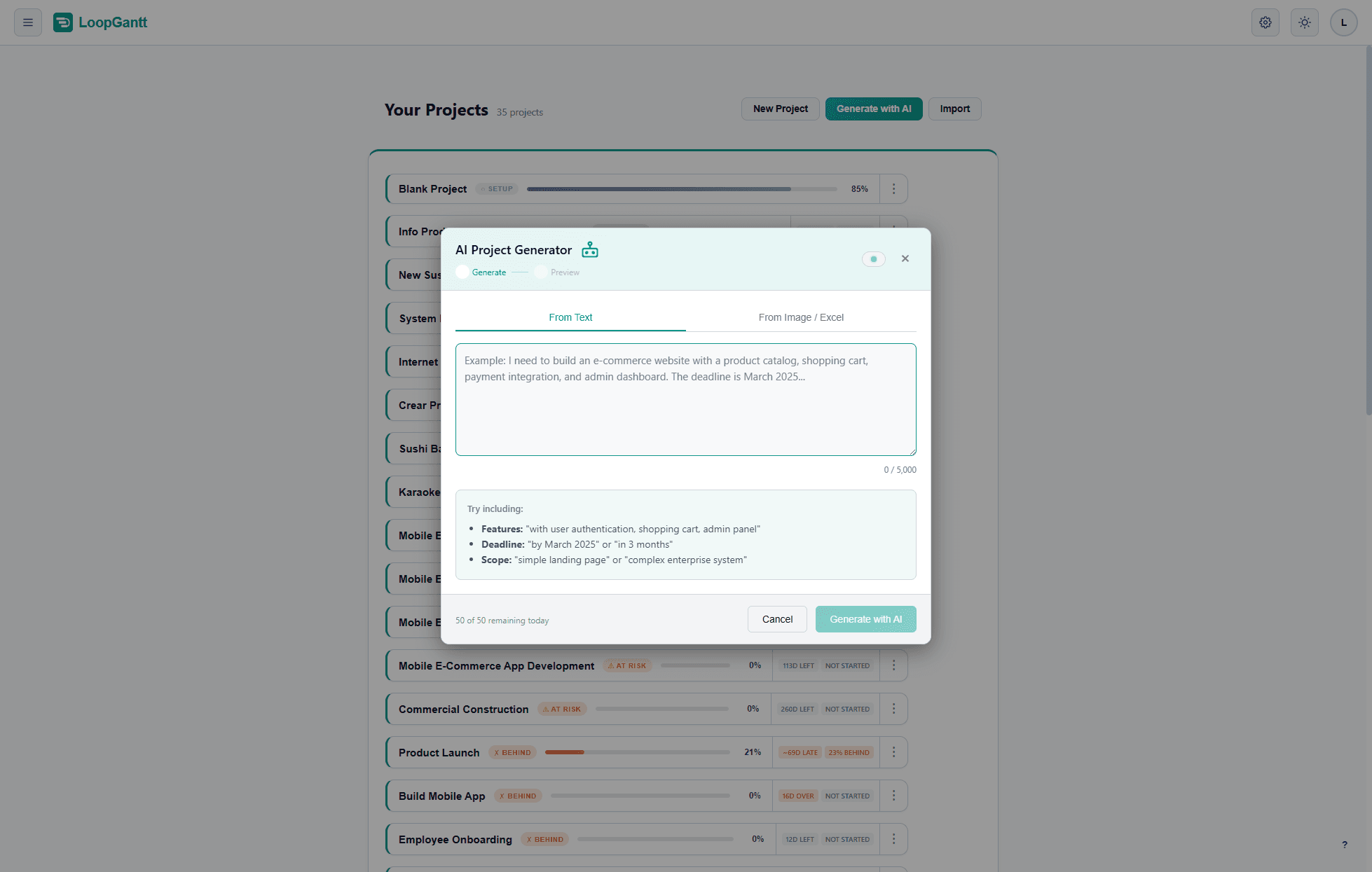
- From the dashboard, click Generate with AI.
- Type a description of your project. Be specific — the more context you give, the better the result.
- Click Generate with AI. The plan appears in seconds.
- Review the plan, edit any tasks that don't fit your situation.
- Click Create Project.
Writing a good prompt
The AI responds well to specificity. Compare:
| Vague (worse result) | Specific (better result) |
|---|---|
| Build an app | Build a React Native mobile app with user auth, a task list, and push notifications |
| Marketing campaign | Launch a B2B SaaS content marketing campaign: blog posts, LinkedIn ads, and a webinar |
| Move offices | Office relocation for a 50-person team: lease, fit-out, IT migration, and moving day |
After generation
Treat the AI output as a starting draft, not a final plan. Always review:
- Are the durations realistic for your team and resources?
- Are there tasks unique to your situation that are missing?
- Do the dependencies reflect your actual constraints?
- Should any tasks be split, merged, or promoted to phases?
A 5-minute review of a generated plan beats a 2-hour manual planning session. The goal is not perfection from the AI — it's a fast, structured first draft.